Why Developers Use This Tool
01
9-Slice Ready Panels & Buttons
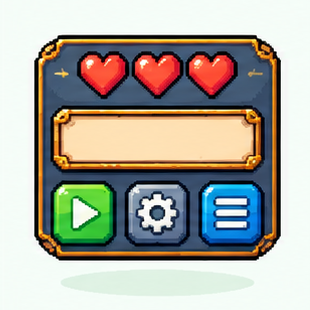
Generate crisp pixel panels and buttons engineered for distortion-free scaling.
02
Exact Nine-Slice Metadata
Exports ui.png alongside nine-slice.json with left, right, top, and bottom border metrics.
03
Engine-Friendly Geometry
Works seamlessly with Godot NinePatchRect, Unity 9-Slice Sprite, and Phaser NineSlice.
04
Consistent Retro Aesthetic
Customize border and fill colors to match your game HUD in seconds.
How to Use
- 1Select Panel or Button template and customize dimensions and colors.
- 2Click Generate to render a crisp pixel UI element.
- 3Inspect the corner pixels and nine-slice border guides.
- 4Download game-ui.zip with ui.png and nine-slice.json.
Engine-Ready Output
Drop straight into your favorite 2D game engine




Frequently Asked Questions
What is 9-slice (Nine-Patch) UI?
9-slice keeps corner pixels fixed while stretching center edges so pixel UI scales cleanly to any dialogue box or button size.
Does it export border coordinates for Godot and Unity?
Yes, nine-slice.json provides exact left/right/top/bottom pixel border values.
Is the UI Maker free to use?
Yes, 100% free and runs locally in your browser.