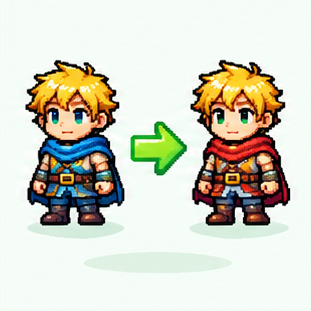
Why Developers Use This Tool
01
Batch Palette Swapping
Swap multiple colors simultaneously across an entire sprite sheet in one click.
02
Equipment Overlay Mode
Composite armor, weapons, or accessories onto selected sprite regions.
03
Alpha Silhouette Guard
Automatically flags accidental silhouette or transparency changes before export.
04
Pixel-Exact PNG Output
Preserves untouched pixels and transparent backgrounds with zero compression artifacts.
How to Use
- 1Upload your base character or item sprite sheet PNG.
- 2Choose Recolor mode to map source colors to target colors, or Equip mode to overlay gear.
- 3Run the replacement and inspect the silhouette check report.
- 4Download your pixel-exact variant sprite sheet PNG.
Engine-Ready Output
Drop straight into your favorite 2D game engine




Frequently Asked Questions
Can I recolor an entire animation sprite sheet at once?
Yes. Every frame in the uploaded sheet is recolored consistently in a single pass.
Does palette swapping affect transparent background pixels?
No. Fully transparent pixels are preserved untouched.
What is Equipment Overlay mode?
It lets you layer gear or outfit sprites over a bounded region while checking silhouette integrity.